
LINE × GoHighLevel integration
GoHighLevel finally connects to LINE
Customer LINE messages land in your GoHighLevel unified inbox, and your team replies without leaving GoHighLevel. Install to first message: about 10 minutes.
52+
votes on the official feature request
~10 min
from install to first LINE message
14 days
free trial, full features
LINE is where your customers are. GoHighLevel wasn't built for it.
The platform was designed around US-style SMS and email. In Japan, Taiwan and Thailand, business happens on LINE — so teams end up shuttling messages by hand.
- Leads from LINE get copy-pasted into GoHighLevel — or never make it in at all
- Replies wait until someone opens the LINE app, so hot leads go cold
- Every follow-up, reminder and booking link gets sent by hand, because nothing can trigger on a LINE message
Up and running in about 10 minutes
Install, connect, and the first conversation lands in your inbox.
- 1
Install the app
One click from the marketplace. The app is added to your account with native billing — no card surprises, 14-day free trial.
- 2
Connect your LINE Official Account
Paste the two values from your LINE Developers console. The webhook URL registers itself — no manual endpoint setup.
- 3
Start talking
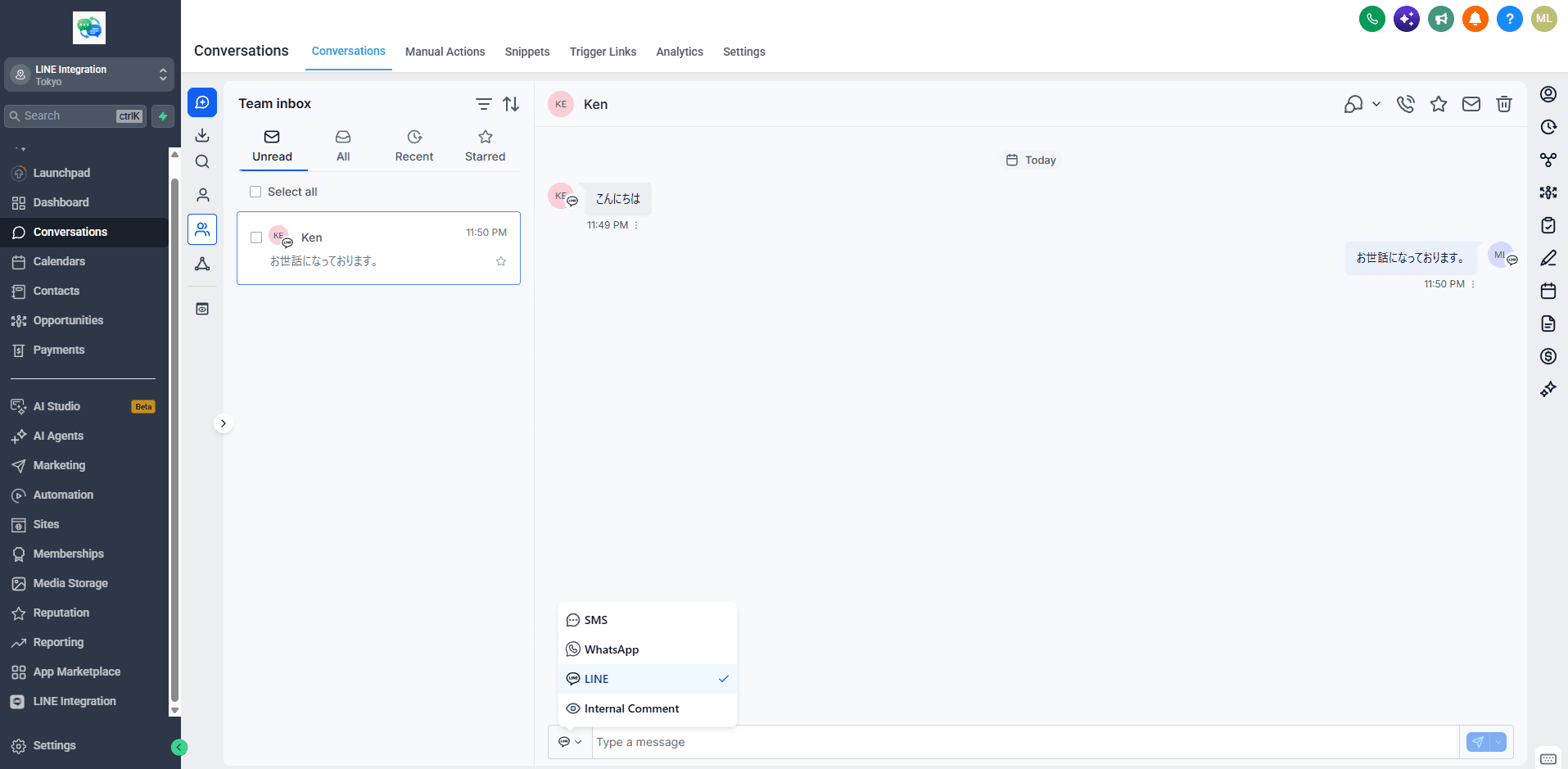
Customer LINE messages arrive in the unified inbox, contacts are created automatically, and your team replies right from the conversation view.
What you get
Two-way LINE messaging with the automation depth most integrations skip.
Two-way messaging
LINE conversations in the unified inbox, labeled as the LINE channel. Reply without leaving GoHighLevel.
Workflow automation
Triggers for message received and friend added. Send LINE messages from any workflow.
Images and attachments
Customer photos displayed inbound; send images outbound from conversations and workflows.
Automatic contact creation
New LINE friends become GoHighLevel contacts with display name and LINE ID captured.
~10-minute setup
One-click install and an auto-registered webhook. Just the two LINE console values.
Minimal scopes
Only the permissions LINE messaging requires. No broad account access.
Note: automated (non-workflow) LINE messages are subject to LINE's own platform limits — free-tier LINE Official Accounts can only send auto-replies, not proactive pushes. Workflows and replies from the inbox always work.
One price, every feature
Billed through the marketplace. Start with a 14-day free trial.
Both plans include every feature and a 14-day free trial. Billed in USD. Pricing details →
Frequently asked questions
What does the app do?
It connects a LINE Official Account to your GoHighLevel account. Customer LINE messages appear in the unified Conversations inbox, your team replies from there, and LINE events (message received, friend added) can trigger workflow automations.
How long does setup take?
About 10 minutes. Install from the marketplace in one click, then paste the channel token and channel secret from your LINE Developers console. The webhook URL is registered automatically.
How much does it cost?
$29.9 per month or $299 per year, billed in USD through the marketplace, with a 14-day free trial. LINE's own plan costs are separate and depend on your LINE Official Account plan.
Which LINE Official Account plan do I need?
Any plan that has the Messaging API enabled works. Note that LINE's free plan restricts sending: auto-replies and responses are fine, but proactive messages depend on LINE's paid plans and monthly message allowances.
Does it work with white-label (rebranded) platforms?
Yes. The app is white-label compliant: agencies on rebranded deployments can install it for client accounts and their end users never see Jimoto Digital or platform branding.
Can I use it for multiple client accounts?
Yes. Install it per account, or use bulk install to roll it out to every client account in one operation.
Stop copy-pasting LINE into GoHighLevel
Install in one click, connect your LINE Official Account, and see your first LINE conversation in the unified inbox within minutes. 14-day free trial.