
Features
Everything a LINE-first team needs to run customer communication inside GoHighLevel — and the automation depth most LINE integrations skip.
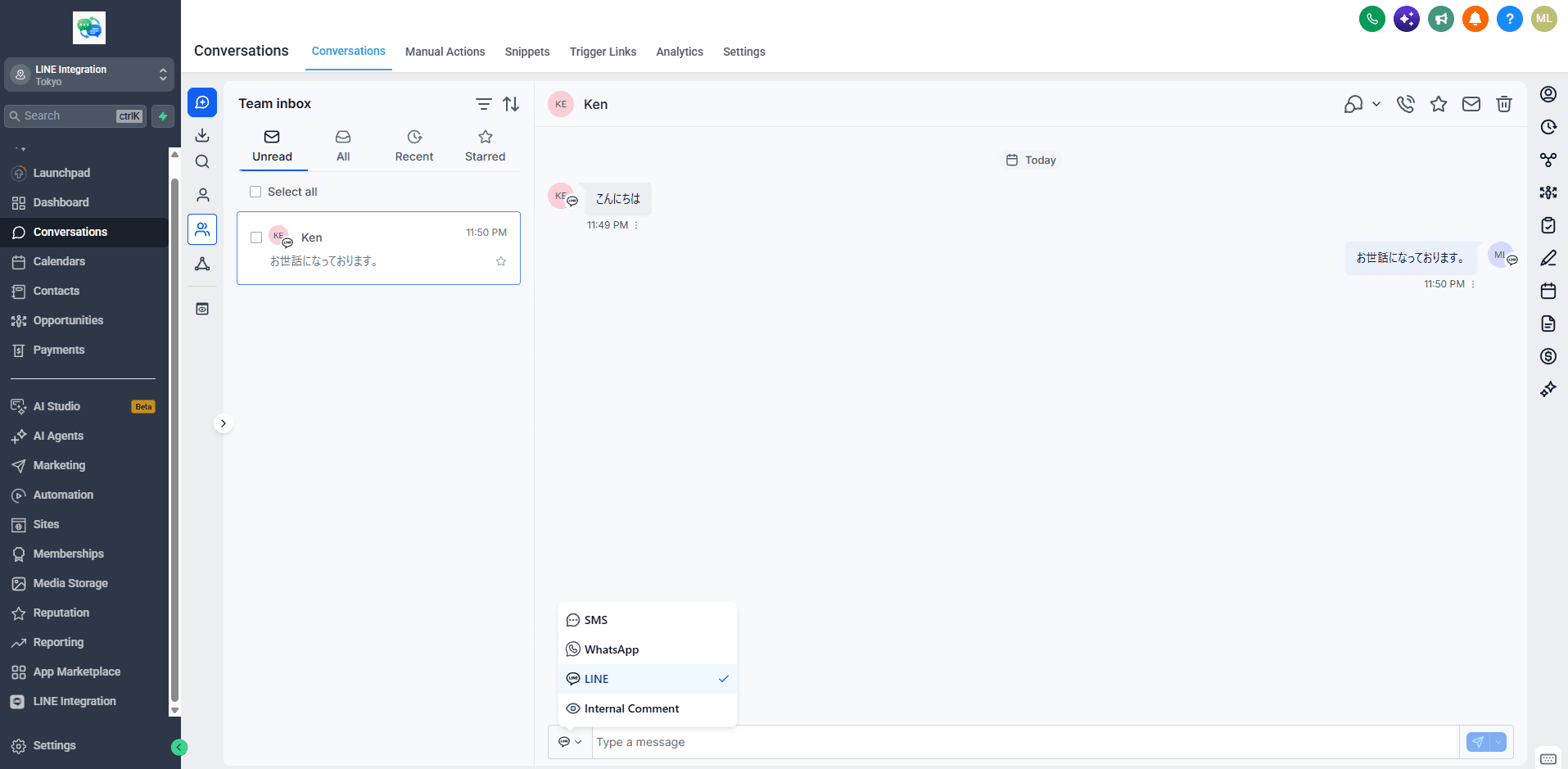
Two-way messaging in the unified inbox
LINE conversations appear in the GoHighLevel Conversations inbox labeled as the LINE channel. Your team reads and replies without opening the LINE app, and the whole thread stays on the contact record.
- Inbound messages, replies and conversation history on the contact
- LINE channel label — messages don't masquerade as SMS
- Multiple team members can share the conversation
Workflow automation
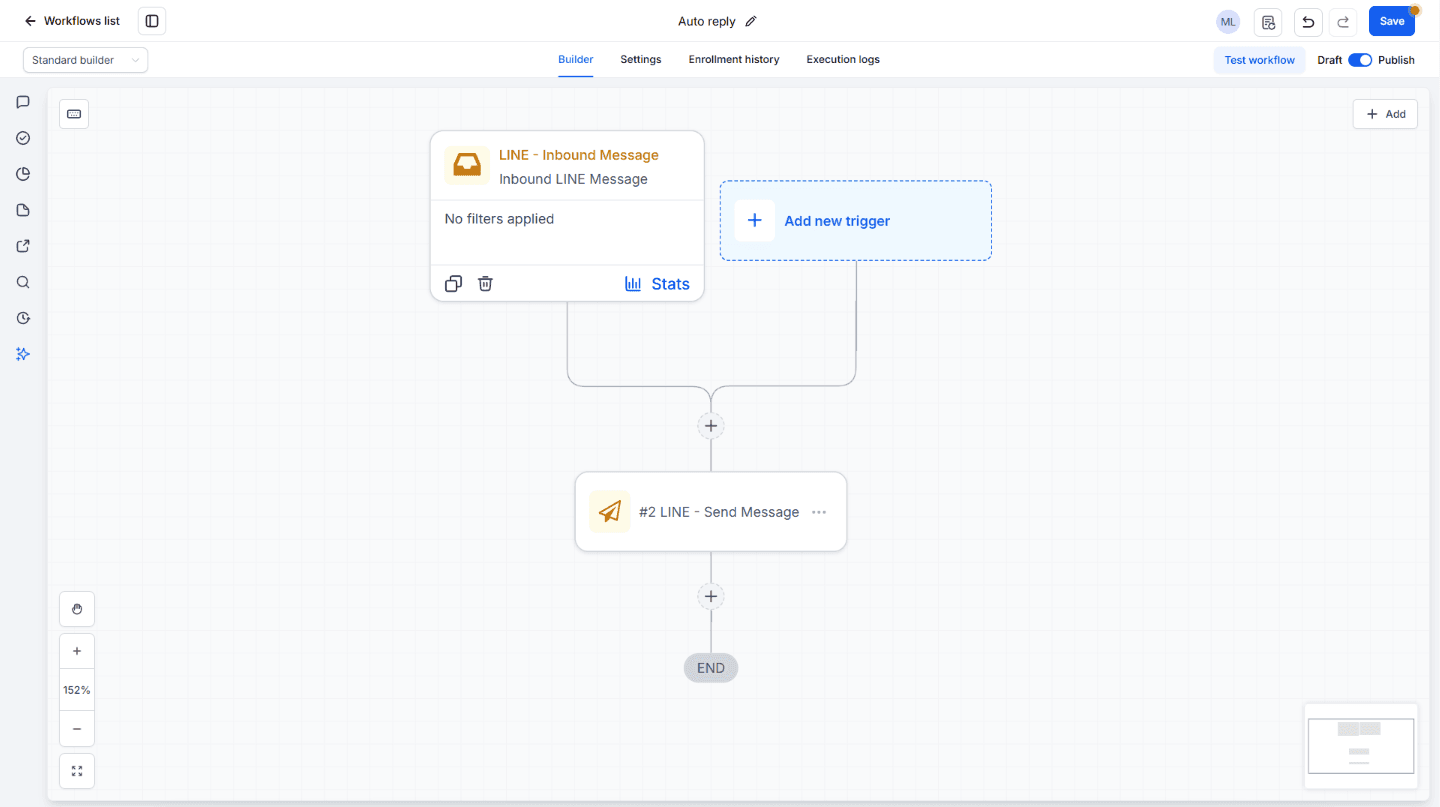
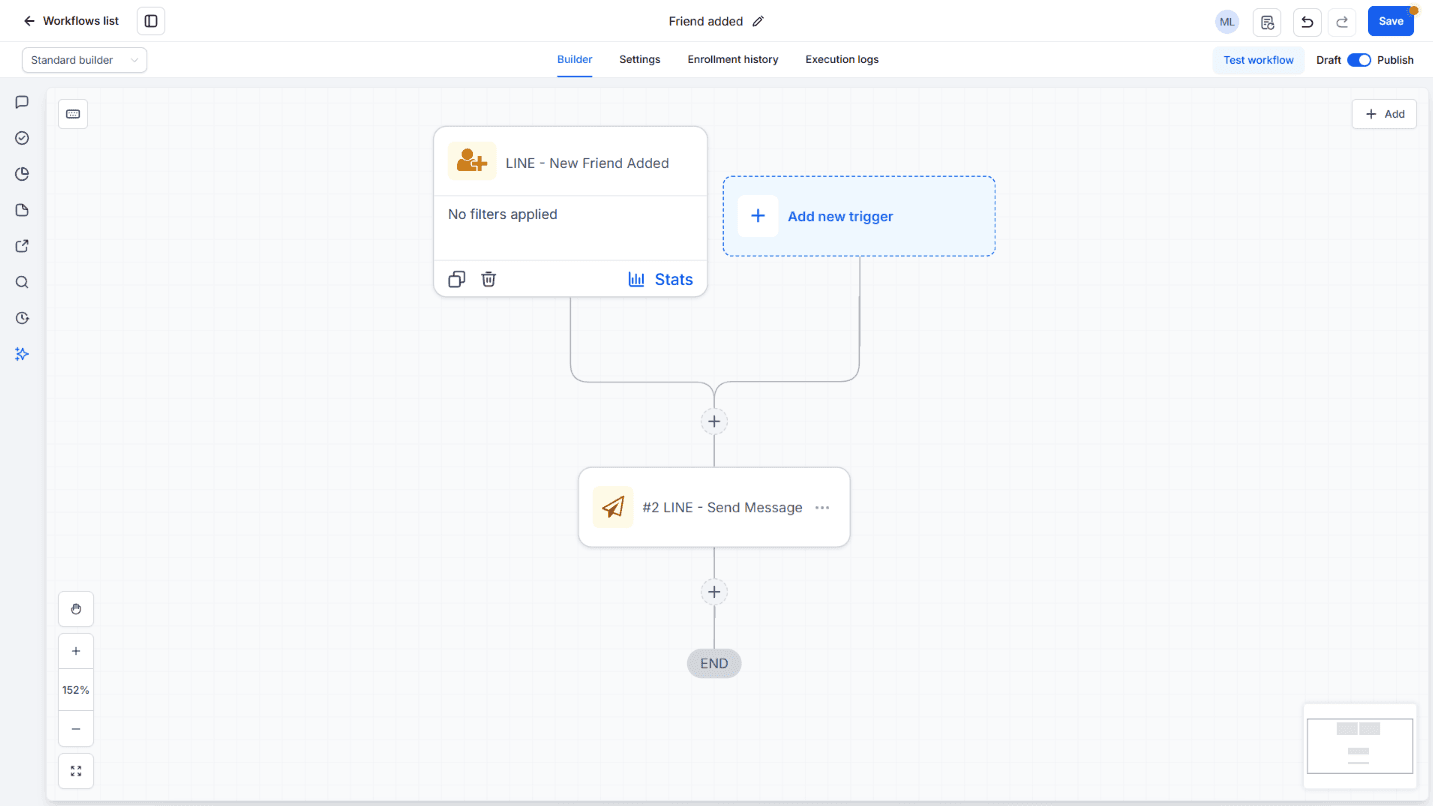
The feature that turns LINE from a chore into a system: LINE events fire the GoHighLevel workflow engine, and workflows can send LINE messages as an action.
- Trigger: message received
- Trigger: friend added
- Action: send a LINE message from any GoHighLevel workflow — booking links, follow-ups, reminders
Media and attachments
Customers send photos; photos come back. Inbound images display in the conversation, and outbound messages support images from conversations and workflows.
Automatic contact creation
When someone new messages your LINE Official Account, a GoHighLevel contact is created automatically with their LINE display name and LINE ID — no manual entry, no lost leads.
Fast, honest setup
One-click install from the GoHighLevel Marketplace, two values pasted from the LINE Developers console, webhook registered automatically. About 10 minutes total. We ask only for the permissions LINE messaging requires — nothing broad, nothing unexplained.